
Ask questions and read grounded answers
Open New chat in the sidebar. Answers are grounded in this Space's Knowledge and shaped by its Controls.
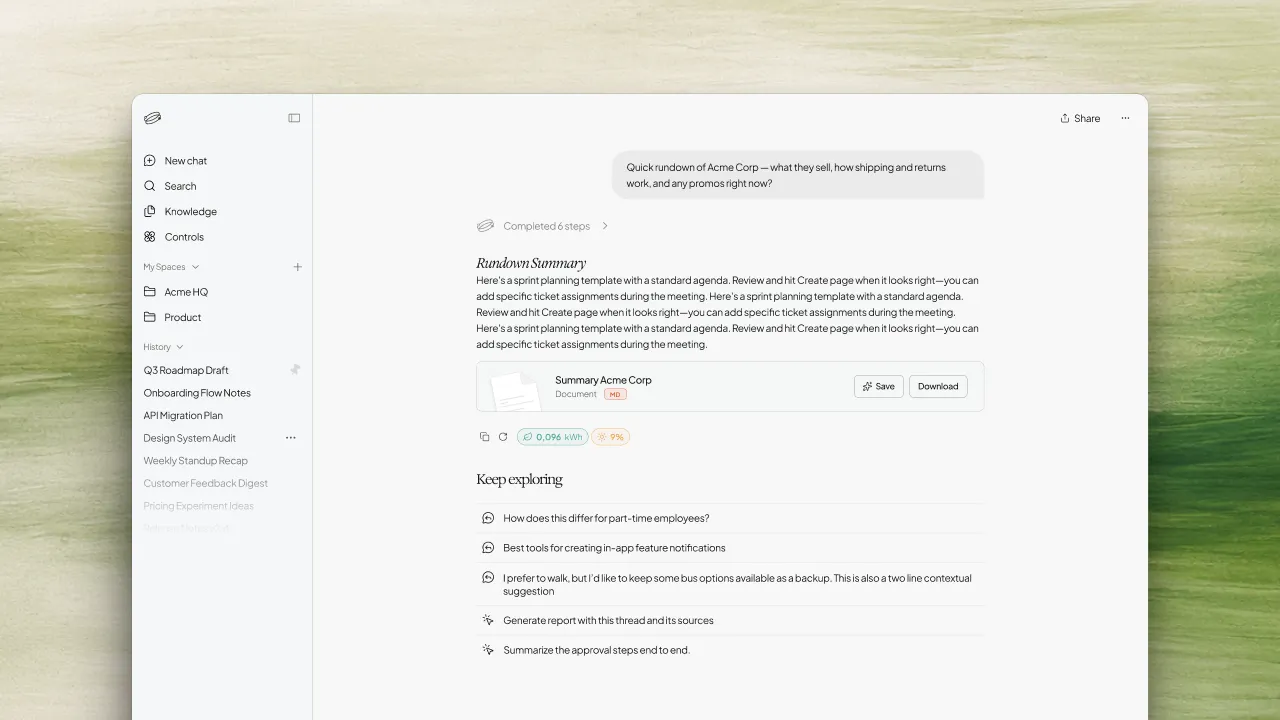
Add Knowledge first if you want retrieval from your documents. When an answer draws on that material, Sources appear under it — Sources covers citations in full. Text streams in as it is generated.
To mention a document, dictate, copy, regenerate, or keep a chat off History, see In-chat actions. To change how retrieval works, see Chat modes. Once a conversation is underway, start another from New chat, or from the new-conversation control in the header.
When suggestions are enabled for your Space, Try asking offers starting questions under the empty input, and Keep exploring may list follow-ups after an answer.
Response footprint
When usage data is available, hover near the message actions to open Response footprint. It is informational — it does not change the answer.
It can show:
- Mode — Fast, Adaptive, or Adaptive Extended
- Time worked — how long this response took
- Compute — tool calls and tokens used (input and output)
- Energy — estimated consumption for this response, and the share shown as powered by solar